NeoStampa Settings for Fabric Printers: How to Optimize Ink Usage and Prevent Bleeding

In digital fabric printing, optimizing RIP software settings plays a crucial role in determining print quality and operational efficiency. Proper NeoStampa settings for fabric printers not only save ink but also prevent common issues such as color bleeding and smudging—especially on highly absorbent fabrics or during high-speed printing.

1. Why Optimize NeoStampa Settings for Fabric Printers?
neostampa-textile-printing-interface
NeoStampa Settings for Fabric Printers: How to Optimize Ink Usage and Prevent Bleeding 5

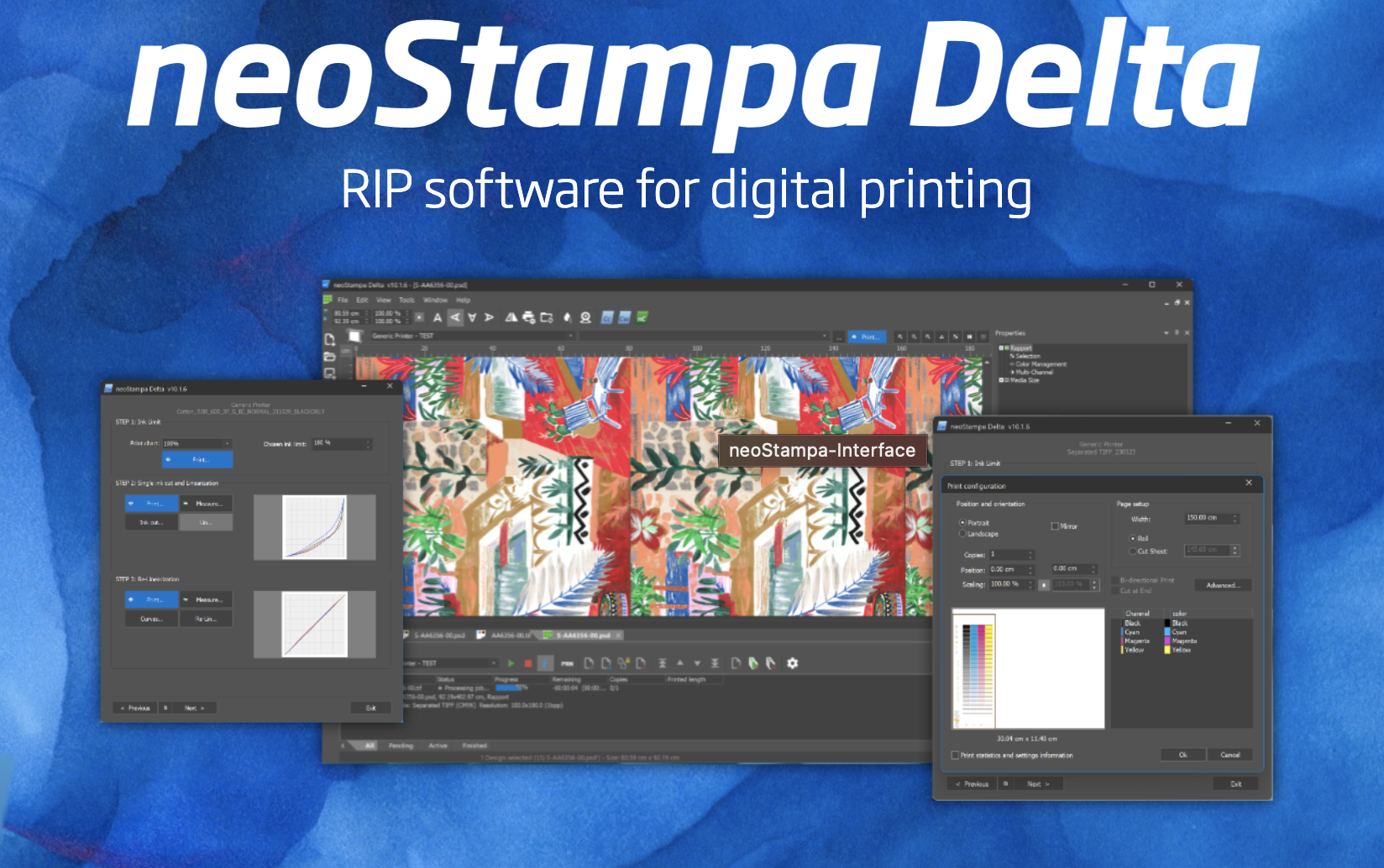
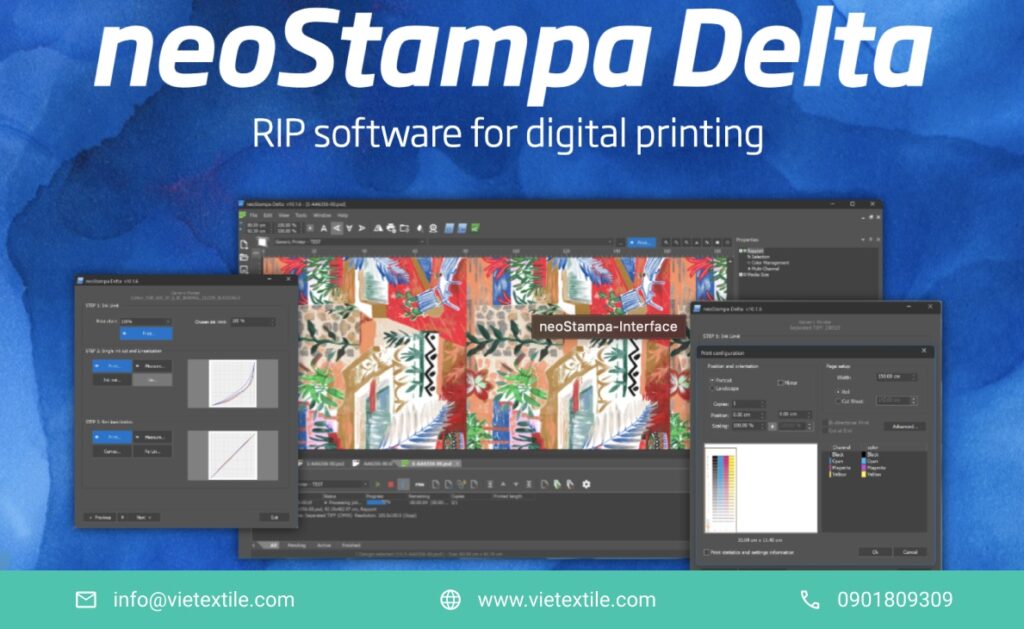
NeoStampa is a professional RIP software designed for digital fabric printing. It controls color profiles, ink volume, and printhead behavior. Misconfigured NeoStampa settings for fabric printers may result in overworked printheads or uneven ink distribution, causing excessive ink discharge, blotchy output, and visual inaccuracies. Proper setup is essential to ensure high-quality prints and minimize material waste.

When adjusted correctly, NeoStampa settings for fabric printers can:

1.1 Reduce Ink Usage by 20–30%

Well-optimized NeoStampa settings for fabric printers limit total ink volume and manage individual color channels, saving material costs while reducing printhead overheating and clogging. Optimized ink flow improves printer stability and produces consistent, vivid prints with fewer technical interruptions.

1.2 Improve Sharpness and Minimize Edge Bleeding

Precise ink control ensures sharp details and prevents ink from seeping into neighboring areas. This is especially important for high-resolution designs. Well-configured NeoStampa settings for fabric printers deliver print clarity without frequent retouching.

1.3 Shorten Drying Time

When ink volume matches the fabric’s absorbency, prints dry faster—reducing bleeding risk and accelerating production speed. This is vital for large-scale operations where every minute saved translates to economic value.

1.4 Prevent Ink Waste and Reduce Rejects

By eliminating ink overflow, print quality improves and defects are minimized. This reduces the need for reprints and material waste, cutting overall production time and costs.

2. Steps to Adjust NeoStampa Settings for Reduced Ink & Bleeding

2.1 Select the Right Fabric and Print Mode

In the “Substrate Settings,” select the actual fabric type (cotton, polyester, viscose, silk…). Each material has different absorbency and surface behavior. For instance, cotton absorbs more ink, and if the fabric isn’t correctly selected, NeoStampa may apply too much ink, causing severe smudging.

Proper fabric selection allows NeoStampa to auto-adjust maximum ink levels, jetting speed, and heat settings to match fabric properties—ensuring accurate color reproduction, crisp details, and better compatibility with post-processing steps like drying or heat pressing.

2.2 Set Appropriate Ink Limits

Go to “Linearization” > “Ink Limits” to define a maximum total ink threshold. For absorbent fabrics like cotton, a recommended range is 180–220%. Exceeding this may lead to surface oversaturation and image smearing.

By optimizing this parameter, you balance printhead workload, achieve smoother ink distribution, extend printhead lifespan, and reduce clogging risks. This also supports eco-efficiency by reducing ink waste.

2.3 Adjust CMYK Color Channels
anti-bleed-printhead-detail
NeoStampa Settings for Fabric Printers: How to Optimize Ink Usage and Prevent Bleeding 6

NeoStampa allows fine-tuning each CMYK channel. For highly absorbent or textured fabrics, Magenta and Yellow are often prone to bleeding. Reduce their levels and prioritize Black when possible. Combine this with optimized dot size to maintain sharp details without over-inking.

The result: more uniform prints, clear transitions, and clean text edges even on challenging surfaces.

2.4 Apply Appropriate GCR (Gray Component Replacement)

Use GCR settings to shift gray tones from CMY to K (black), reducing overall color ink usage while preserving depth and shadow detail. Moderate GCR is recommended—excessive use may flatten images or dull vibrancy, while none may lead to over-inking.

Tailor GCR levels per fabric and design for the best ink-saving and visual fidelity balance.

2.5 Tune Dithering and Dot Size

Dithering controls ink drop placement patterns (e.g., Error Diffusion, Hybrid, Ordered). Selecting the right method helps distribute ink evenly and prevents overprinting, which causes blurring.

Dot size also matters: large dots may over-saturate highly absorbent fabrics, while too small dots may cause weak or grainy prints. Aim for a medium dot size to balance sharpness and ink coverage.

Correct dithering + optimal dot size = improved visual quality and lower ink usage.

3. Test Prints and Calibration
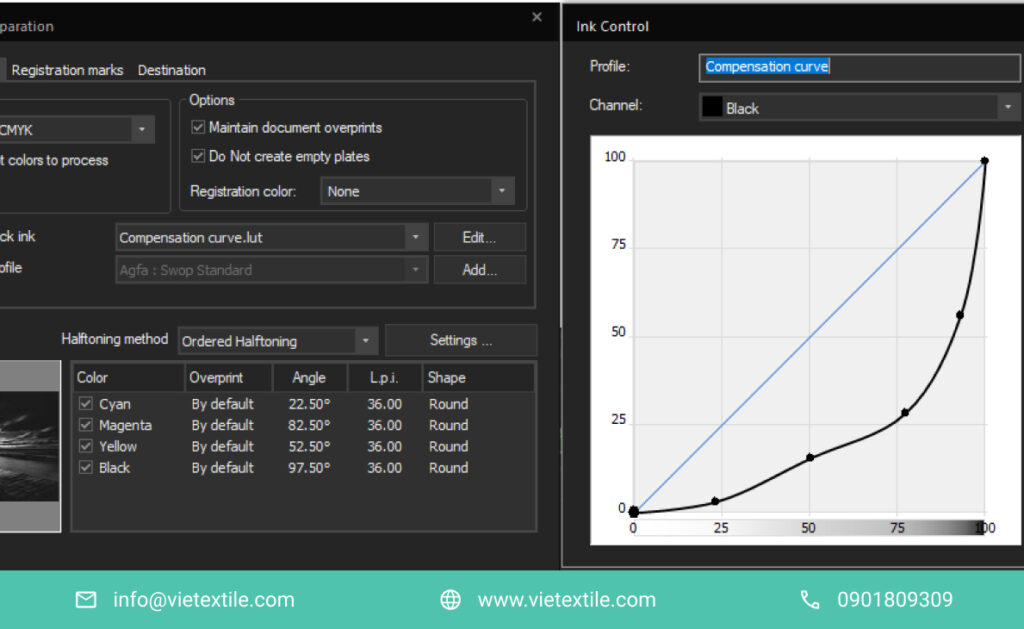
ink-management-chart
NeoStampa Settings for Fabric Printers: How to Optimize Ink Usage and Prevent Bleeding 7

After adjustments, perform trial prints and evaluate the results:

3.1 Are the Colors Accurate?

Compare the print to your original design. Color mismatches may stem from ICC profile errors, low ink density, or misconfigured GCR. Fine-tune these settings to match screen output and ensure proper NeoStampa calibration.

3.2 Is There Bleeding?

Check transitions and light backgrounds. Ink bleeding beyond design borders may indicate ink overflow or incompatible dot size. Lower the total ink limit or reduce dot size accordingly.

3.3 Are the Details Sharp?

Zoom into small text or intricate graphics. If blurred, the dithering method or input resolution might be inadequate. Recheck RIP settings, especially dot size and DPI. The right NeoStampa settings for fabric printers ensure image sharpness—even in gradients and fine details.

If the result isn’t optimal, revise ink levels or dot size. Calibration is a critical final step before scaling up production.

4. Conclusion

Optimizing software settings is vital in modern digital fabric printing—where print quality and efficiency directly affect cost and competitiveness. Proper NeoStampa settings for fabric printers enable fine-tuning of ink limits, dot size, dithering, and GCR per fabric type. This helps prevent common issues like smudging, ink bleeding, or detail loss.

A good setup also prolongs printhead lifespan, reduces material waste, and avoids costly reprints. If you’re facing ink overflow, color mismatches, or smudging, your RIP settings may be the root cause. Review your NeoStampa settings for fabric printers to ensure top performance and high-quality output.

5. Frequently Asked Questions (FAQs)

  1. Should I reconfigure NeoStampa for every new fabric? Yes. Each fabric absorbs ink differently, so NeoStampa settings for fabric printers must be tailored for best results.
  2. How do I know if ink levels exceed limits? Check under Linearization > Ink Limits or observe trial prints. If prints smudge or dry slowly, ink limits are likely exceeded.
  3. How often should I review settings? Once per month or after switching to new print materials.
  4. Can I apply the same setup across all printer models? No. Different printers have varied head technology and ink compatibility. Always adjust NeoStampa settings for fabric printers based on the specific printer model.
  5. What happens if NeoStampa is misconfigured? Expect smudging, color inaccuracy, excess ink usage, or even printhead damage from over-inking.

6. Frequently Asked Questions (FAQs)

  1. Should I reconfigure NeoStampa for every new fabric? Yes. Each fabric absorbs ink differently, so NeoStampa settings must be tailored for best results.
  2. How do I know if ink levels exceed limits? Check under Linearization > Ink Limits or observe trial prints. If prints smudge or dry slowly, ink limits are likely exceeded.
  3. How often should I review settings? Once per month or after switching to new print materials.
  4. Can I apply the same setup across all printer models? No. Different printers have varied head technology and ink compatibility. Always adjust NeoStampa settings based on the specific printer model.
  5. What happens if NeoStampa is misconfigured? Expect smudging, color inaccuracy, excess ink usage, or even printhead damage from over-inking.

7. References & Contact

Contact VieTextile for advice on configuring NeoStampa fabric printer and receive a 30-day free software trial package:

7 Steps to Digital Fabric Printer Color Calibration

Color is the deciding factor for the success of every fabric print product. This article will help you master the 7-step process of Digital Fabric Printer Color Calibration, ensuring colors are true to design, stable, and consistent across production batches.

1. Why is Digital Fabric Printer Color Calibration Necessary?

can chinh mau sac may in vai ky thuat so
7 Steps to Digital Fabric Printer Color Calibration 12

In the fabric printing industry, color is the “face” of the product. Even a slight color inaccuracy can devalue the product, or even lead to returns, causing significant losses.

According to a FESPA (2023) survey, up to 48% of customer complaints regarding fabric print quality are related to color inaccuracy. This shows that color control is vital for professional printing workshops.

Digital Fabric Printer Color Calibration helps ensure colors are true to design, consistent across orders, and minimizes waste of ink, fabric, and time. Simultaneously, it enhances reputation and retains long-term customers.

Learn more about digital fabric printing.

2. Common Causes of Color Inaccuracy in Digital Fabric Printing

can chinh mau sac may in vai ky thuat so H3
7 Steps to Digital Fabric Printer Color Calibration 13

Color inaccuracy doesn’t happen randomly; it stems from various technical factors. To calibrate effectively, you first need to understand the root causes:

  • Inconsistent color profiles: Using RGB instead of CMYK.
  • Missing or incorrect ICC Profile for the fabric type and ink being used.
  • Dirty printheads or misaligned nozzles, causing uneven ink distribution.
  • RIP software configured with incorrect gamma, brightness, or contrast.
  • Lack of color measurement devices to check Delta E deviation.

Understanding these causes helps you prevent and resolve errors promptly, minimizing reproduction costs.

⚡️ Don’t let color inaccuracy affect your product quality and printing workshop’s reputation! Contact VieTextile for expert advice on precise Digital Fabric Printer Color Calibration solutions. 

Read more about common fabric printing errors and how to fix them.

3. 7 Steps for Standard Digital Fabric Printer Color Calibration

3.1. Step 1: Check Color Mode and Design File from the Start

Always ensure the design file uses the CMYK color mode instead of RGB, with a resolution of 300 dpi or higher. Ideal file formats are uncompressed TIFF or PNG to avoid loss of detail.

Apply the appropriate ICC Profile for each fabric type (cotton, polyester, nylon) and each printer type (Epson, Mimaki, Roland). The profile should be provided by the printer manufacturer or calibrated using a specialized color measurement device.

Note: A small error in the file preparation step can lead to the entire batch having incorrect colors.

3.2. Step 2: Standard RIP Software Configuration

Use specialized RIP software such as NeoStampa, Caldera, or Ergosoft to control color and print commands.

You need to set the following parameters:

  • Gamma: 2.2 or as per guidelines for each fabric type.
  • Brightness: Adjust to avoid excessive brightness that causes color inaccuracy.
  • Contrast: Balance for sharp images without color saturation.

Perform Linearization and Color Calibration on the RIP to ensure accurate color curves. Always apply an ICC Profile compatible with the ink and fabric being used.

Are you having difficulty setting up RIP configuration and ICC Profile? VieTextile is ready to assist you with installing and optimizing RIP software, ensuring the most accurate print colors for each fabric type.

3.3. Step 3: Regular Printhead Cleaning and Inspection

Clean and stable printheads are crucial for sharpness and color accuracy. Clean printheads using specialized solutions or the printer’s automatic cleaning mode.

Check the nozzle check before each print batch to ensure no clogged nozzles. If missing nozzles are detected, perform cleaning or alignment immediately.

Recommendation: Check printheads every 3–5 days, especially when changing ink batches or switching fabric types.

3.4. Step 4: Calibrate Printhead Height Relative to Fabric Surface

The ideal distance from the printhead to the fabric surface is 1–2 mm. If the distance is too far, ink may evaporate before adhering to the fabric, causing smudging or color inaccuracy.

Use the Auto Height Adjust function (if supported by the printer) or a specialized measuring tool for precise calibration.

Tip: Ensure uniform distance across the entire print surface to avoid one side being darker and the other lighter.

3.5. Step 5: Print Test Chart and Compare with Standard Color Swatch

Print a standard color chart from the RIP software on the exact fabric type intended for use. Compare the printed result with a Pantone Formula Guide or FOGRA Media Wedge.

Use a color measurement device (spectrophotometer) to measure Delta E deviation. The Delta E value should be kept below 2 to ensure color accuracy.

Example: Printing workshop A in Binh Duong reduced color inaccuracy by 85% after implementing regular test chart printing and color measurement.

Don’t have a color measurement device or need help calibrating a standard test chart? Contact VieTextile for consultation and accurate Delta E color measurement support for your printer.

3.6. Step 6: Calibrate with Specialized Color Measurement Device

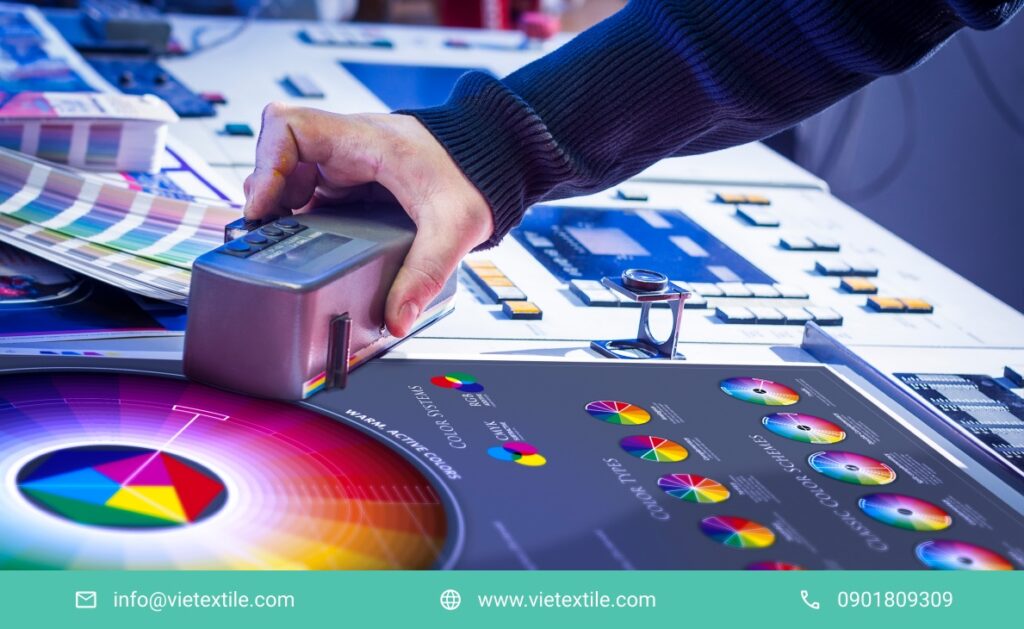
Color measurement devices like X-Rite i1Pro, Datacolor Spyder help accurately determine the color deviation between the design file and the actual print.

Perform periodic calibration weekly or immediately after changing fabric types, ink types, or after printhead maintenance. Save measurement results and calibration profiles to maintain consistency across batches.

3.7. Step 7: Regular Inspection and Saving Samples for Reference

Save test chart samples for each production batch as a reference for comparison in case of complaints or when reproduction is needed. Perform weekly color checks, especially after machine maintenance or material replacement.

Suggestion: Post a color control checklist directly at the printer area for technicians to easily follow the procedure.

4. Common Errors in Color Calibration and Effective Solutions

can chinh mau sac may in vai ky thuat so H1
7 Steps to Digital Fabric Printer Color Calibration 14

Digital Fabric Printer Color Calibration is a meticulous and precise process. However, even experienced technicians can easily encounter some common errors if they don’t follow the correct color control steps. Here are the most common errors along with their causes and effective solutions.

4.1. Faded, Unsharp Prints

When prints result in faded colors and unsharp images compared to the design, the main reason is often that the design file uses the RGB color mode instead of CMYK. Additionally, choosing ink that is incompatible with the printer and fabric material can also lead to reduced color saturation.

Solution: Always check and ensure the design file is converted to CMYK color mode with a minimum resolution of 300 dpi. At the same time, use the correct genuine ink or ink recommended by the printer manufacturer to ensure maximum compatibility.

4.2. Overly Vibrant, Glaring, and Deviated Colors

Prints that are glaring, overly vibrant, or deviate from the desired color often occur when the gamma or color profile is incorrectly set in the RIP software. Additionally, not controlling brightness and contrast also leads to color deviation.

Solution: Recalibrate gamma, brightness, and contrast in the RIP software. Choose the correct ICC Profile for each fabric type and ink being used to ensure consistency between design and printing.

4.3. Color Deviation Between Prints in the Same Production Batch

When prints within the same production batch have inconsistent colors, the cause is very likely due to misaligned printhead nozzles or unstable printing temperature. Printhead wear over time can also contribute to this error.

Solution: Regularly check and clean printheads to ensure even ink spray. Perform printhead (nozzle) alignment periodically as recommended by the manufacturer. Simultaneously, monitor and maintain stable temperature during printing to limit color changes between prints.

Mastering these common errors and implementing comprehensive solutions will help you improve print product quality, reduce waste, and maintain brand reputation in the Digital Fabric Printer Color Calibration industry.

Unsure how to fix complex color inaccuracies? VieTextile’s technical team is always ready to assist you, helping to thoroughly resolve challenging color deviation issues.

5. Suggested Equipment, Software, and Color Charts to Use

  • Color Measurement Devices: X-Rite i1Pro, Datacolor Spyder help measure color, calibrate printheads, and create ICC profiles.
  • RIP Software: Caldera, NeoStampa, Ergosoft are professional RIP software, helping to manage profiles and print commands.
  • Pantone Charts, FOGRA Certified Test Charts: Help compare and control colors.

6. Periodic Color Inspection Checklist for Fabric Printing Workshops

  • Check color mode and design file before each order.
  • Clean printheads and check nozzles every 3–5 days.
  • Print test charts and measure Delta E weekly.
  • Calibrate equipment and update color profiles periodically.
  • Save reference samples for each production batch.

7. Conclusion: Color Calibration is Key to Maintaining Printing Workshop Reputation

Color calibration is not just a technique – it’s a vital factor that helps ensure quality, retain customers, and achieve sustainable development. When implemented correctly, the color control process will help businesses save costs, minimize risks, and increase customer satisfaction.

If you need support in setting up profiles, calibrating equipment, or in-depth color control process training, contact VieTextile for consultation and to partner with you in building an international-standard printing workshop.

Frequently Asked Questions (FAQs)

1. Why is it necessary to use an ICC Profile for Digital Fabric Printer Color Calibration? To synchronize colors between the design file and the print, limit color inaccuracy, and ensure precise colors.

2. How often should a digital fabric printer be calibrated? Calibration should be done weekly or immediately after changing ink, printheads, or fabric types.

3. Can color be accurately calibrated without a color measurement device? It’s difficult to achieve high accuracy. A color measurement device should be used to ensure stability and accurate colors.

4. How do I know if the printer is experiencing color inaccuracy? Printed colors don’t match the design, color shifts between prints, or unusually faded or glaring colors.

5. Which step is most important to ensure accurate print colors? Checking the CMYK color mode, using the correct ICC Profile, calibrating equipment, and cleaning printheads.

6. When should I seek expert help for color calibration? When you don’t have a color measurement device or have tried to calibrate yourself but the colors remain unstable.

7. Does color calibration help save production costs? Yes. It minimizes color inaccuracy, avoids reprinting, and saves ink, fabric, and time.

NeoStampa Digital Printing Software: 4 Steps to Optimize Print Quality

What is NeoStampa? Who should use it? And how can you optimize the digital fabric printing process with this top-tier RIP software? The following article will provide you with a detailed guide on 4 steps to optimize print quality when using NeoStampa digital printing software.

1. What is NeoStampa and Its Role in Digital Fabric Printing?

NeoStampa Digital Printing Software
NeoStampa Digital Printing Software: 4 Steps to Optimize Print Quality 18

NeoStampa is a professional RIP (Raster Image Processor) software specifically designed for digital fabric printing. It helps control color, image quality, printing speed, and accuracy in every printed product.

Created by Inèdit Software (Spain), NeoStampa has quickly become a standard in the global fabric printing industry. Notably, with its ability to optimize ICC Profiles and synchronize color management, NeoStampa helps businesses save up to 25% on ink costs.

2. Key Features of NeoStampa 10 – The Latest Version

2.1. Superior Color Management

NeoStampa supports setting up specific ICC Profiles for each type of fabric and each printer model. This minimizes color deviation, especially on polyester and cotton fabrics.

Case Study: A European sports apparel printing company saved 30% on print file correction costs after switching to NeoStampa.

2.2. Ink Optimization (Ink Saving)

The Ink Saving technology calculates the optimal amount of ink, reducing costs while maintaining color saturation. This is especially important when printing on highly absorbent fabrics like viscose or bamboo.

2.3. Diverse Printer Compatibility

NeoStampa supports over 700 printer models from Epson, Mimaki, Roland, Mutoh, DGI, MS Printing, and many other brands. Its quick integration with new models makes it easy for businesses to expand production.

2.4. Automatic Correction of Common Printing Errors

The software has the ability to automatically detect and correct errors such as banding, misalignment, and nozzle clogging without much manual intervention.

3. Why is NeoStampa Highly Rated in the Digital Fabric Printing Industry?

3.1. Proven Reliability

Over 80% of major textile companies in Italy, Spain, and Latin America use NeoStampa to control fabric print quality. This is strong evidence of the software’s effectiveness and durability in a real production environment.

3.2. Supports International Color Standardization

NeoStampa allows businesses to build a Standardized Color Workflow system. This helps to synchronize print quality between different factories, especially in a global supply chain.

3.3. Improves Time to Market

Thanks to its fast file RIP capability, reduced errors, and time savings on sample testing, businesses can shorten the time it takes to get samples to market from 7 days to 2-3 days.

4. Process for Optimizing Fabric Printing with NeoStampa

Step 1: Build a Specific ICC Profile for Each Fabric Type

Specialized color calibration minimizes errors and optimizes ink usage efficiency.

Step 2: Set Up the Appropriate Ink Saving Mode

Depending on the ink type (pigment, sublimation, reactive) and fabric type, you need to adjust the ink-saving level reasonably to ensure quality.

Step 3: Choose the Correct Print Mode

NeoStampa allows you to customize the printing speed (Passes) and resolution (DPI) to match the quality requirements of each order.

Step 4: Check Test Proofs and Make Final Adjustments

Print small test proofs on each fabric type to review colors before mass production.

5. Common Errors When Using NeoStampa and How to Fix Them

Loi sai lech mau sac giua man hinh va ban in
NeoStampa Digital Printing Software: 4 Steps to Optimize Print Quality 19

During the operation of the NeoStampa software, users may encounter some errors that affect the quality of digital fabric printing. Below is a summary of common errors, their causes, and detailed solutions.

5.1. Color Mismatch Between Screen and Print

This is the most common error, stemming from inaccurate ICC Profile setup or a color calibration process that is not suitable for the fabric material. Color mismatch means the printed product does not meet the original design requirements, especially for industries with strict demands such as sportswear or home furnishings.

How to fix: Re-check the ICC Profile for each fabric type, such as polyester, cotton, or viscose. Use a standard color measurement device to recalibrate the entire system’s colors. Ensure the printer, NeoStampa software, and end-user devices use the same color reference system (e.g., sRGB or AdobeRGB).

5.2. Banding (Horizontal Streaks on the Print)

Banding is often caused by setting the Passes too low or by clogged printer nozzles, which results in faint horizontal streaks on the print. For fabrics with high stretch, like polyester, banding is even more likely to occur if the printing speed is pushed too fast.

How to fix: Increase the number of Passes to 6–8, depending on the fabric material and the print’s detail requirements. Clean the printhead periodically with a specialized solution to ensure stable and consistent ink flow. Additionally, use the nozzle test function in NeoStampa regularly to detect and fix issues early.

5.3. Ink Bleeding on the Fabric Surface

Ink bleeding occurs when the amount of ink is too high or the printing speed exceeds the fabric’s absorbency. This is common when printing on cotton, bamboo, or other organic fabrics.

How to fix: Reduce the Ink Limit to about 80–90% of the default setting, and at the same time, adjust the printing speed to a more reasonable pace. Balance image quality with the absorbency of each fabric type to avoid ink bleeding, especially in areas with dark or gradient colors.

5.4. Errors from Improper Printhead Cleaning

A clogged, dirty, or slightly damaged printhead can also cause color mismatches, banding, or localized blurriness on the print. This directly affects the printer’s lifespan and operating costs.

How to fix: Perform regular printhead cleaning according to the printer manufacturer’s instructions. Use a specialized cleaning solution and avoid using tap water or unverified solvents. Set up a schedule to run a nozzle test on the NeoStampa software at least once a week during continuous operation.

6. Comparing NeoStampa with Ergosoft and Wasatch

CriterionNeoStampaErgosoftWasatch
ICC Profile ManagementExcellent, detailed customization for each fabric typeGood, but complex configurationBasic
Ink SavingYes, reduces ink by 20-25%Yes, reduces ink by 10-15%Does not support it well
Ease of UseIntuitive, user-friendly interfaceQuite complex for new usersAverage
Printer Support700+ models400+ models300+ models
Comparison of NeoStampa with Ergosoft and Wasatch Software

7. Practical Applications of NeoStampa in Vietnam

Printing workshops for T-shirts, sportswear, and bedding for export in Vietnam are gradually transitioning to using NeoStampa. Especially in a market that demands consistent colors and high standardization, NeoStampa has become an ideal solution.

Evidence: VieTextile – a pioneer in providing digital printing solutions in Vietnam – has successfully implemented NeoStampa for various large and small fabric printing workshops since 2024.

Frequently Asked Questions about NeoStampa Digital Printing Software

  • 1. Is NeoStampa truly necessary for digital fabric printing? Yes. NeoStampa helps with accurate color printing, saves ink, and reduces errors, which is essential for any modern fabric printing factory.
  • 2. Does using NeoStampa help save ink? Yes. NeoStampa has a smart ink-saving mode that helps reduce ink consumption by 20–25% while maintaining beautiful colors.
  • 3. Is it necessary to build a specific ICC Profile for each fabric type when using NeoStampa? Yes. Each fabric type absorbs ink differently, so a separate ICC Profile is needed to print the design colors correctly.
  • 4. What types of printers does NeoStampa support? NeoStampa supports over 700 printer models from major brands like Epson, Mimaki, Roland, MS Printing, Mutoh, DGI, and more.
  • 5. How can I optimize printing speed and quality when using NeoStampa? You need to build a standard ICC Profile, enable the ink-saving mode, choose the appropriate Passes and DPI, check test proofs, and clean the printhead periodically.

8. NeoStampa – Revolutionizing Digital Fabric Printing in 2025

If your business is looking for a solution to control colors accurately, optimize costs, and speed up production, NeoStampa is a worthwhile investment.

Contact Us for Consultation Would you like a detailed consultation on NeoStampa software and how to implement it effectively at your factory?

Contact VieTextile now – The No. 1 expert in digital printing solutions for the Vietnamese textile industry!

Hotline: 0901 809 309 

Email: info@vietextile.com See more about Digital Fabric Printers and Digital Printing on Cotton Fabric.

An Overview of neoStampa RIP software

neoStampa is one of the most popular RIP software programs in the printing industry. Especially in fabric printing, neoStampa RIP software is known as a “powerful assistant” for printing workshops, from small to large. In this article, let’s find out what outstanding features neoStampa RIP software has for fabric printers.

1. Understanding neoStampa RIP software

neoStampa RIP software was developed by Inedit, a reputable company from Spain in the field of color management and digital printing software development. Today, neoStampa is an indispensable tool in printing workshops. This is because neoStampa RIP software not only helps printing workshops save ink and time, but it also helps create prints with colors that are true to the design. Here are 8 outstanding features of neoStampa:

  • Fast Color Correction: Correct colors in just 2 steps in less than 30 seconds.
  • Color Customization: Allows you to customize the color level on each color point, which enhances the product design.
  • Ink Savings: Save 30% on white ink, reducing raw material costs.
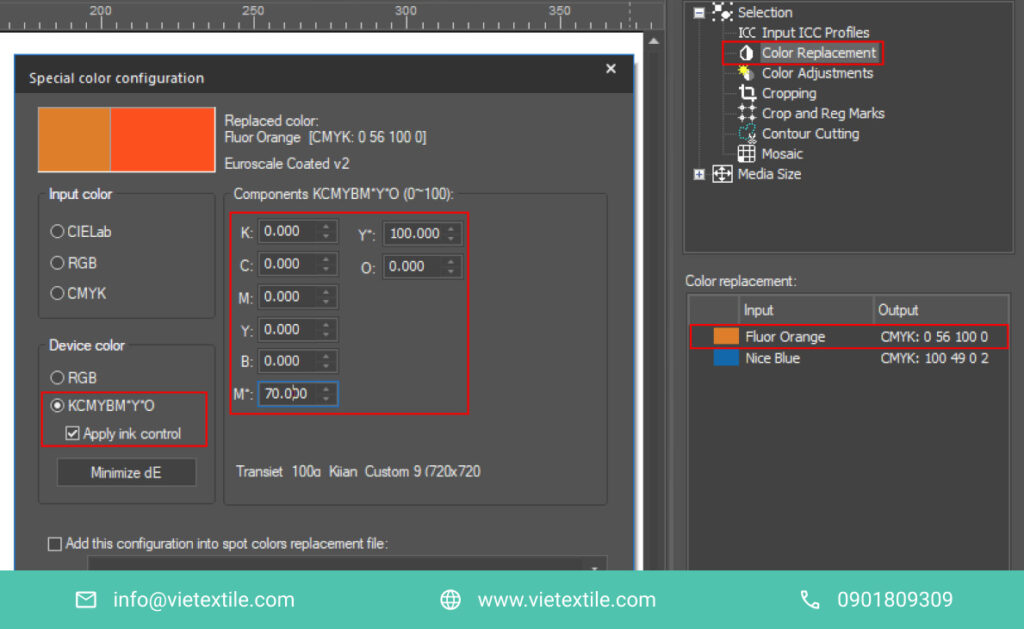
  • Fluorescent Ink Control: Has the ability to spray fluorescent ink automatically or manually according to the original design.
  • White Area Adjustment: Allows precise adjustment of white areas with a smart inductance system.
  • Accurate Color Reproduction: Prints colors that are true to the design and allows you to create a collection of favorite colors, including PANTONE-TM.
  • Automatic Detection: Automatically detects and supports transparent color points in any format.
  • White Ink Enhancement: Can actively enhance white ink points in the design.

2. The Importance of neoStampa RIP software in the Digital Fabric Printing Industry

In the digital fabric printing industry, neoStampa software plays an extremely important role. It is not just a tool but also a key point in the modern printing process.

By leveraging the adjustment and direct design features in the software, manufacturers can create unique and diverse fabric prints. This is well-suited to the rapidly changing market needs.

However, more importantly, fabric printing software helps promote creativity and innovation in the industry. It helps businesses maintain competitiveness and promote sustainable development. In an era where digitalization is increasingly developing, investing in digital fabric printing software is an essential step. This ensures success in this industry.

3. Outstanding Features of neoStampa RIP software

neoStampa digital fabric printing software is a powerful and flexible software. neoStampa provides many advanced features for users.

3.1. User Interface

The user interface of the neoStampa digital fabric printing software is designed to be intuitive and easy to use, making it suitable for users of all skill levels. Icons and functions are logically arranged, helping users easily find and use the necessary tools.

neoStampa digital fabric printing software provides many support features, including a user manual, tutorial videos, and a community forum. These help users easily solve problems and learn how to use the software effectively.

3.2. Fabric Design

neoStampa digital fabric printing software provides a powerful and flexible set of design tools that allow users to create unique and creative fabric designs. Users can use drawing and photo editing tools and add effects to create designs as they wish. The software also supports many popular image file formats, making it easy for users to import and export designs.

3.3. Color Management

neoStampa digital fabric printing software provides advanced color management tools. It helps ensure that prints have accurate and consistent colors across different fabric products. Users can use these tools to adjust the brightness, contrast, saturation, and other color attributes of their designs. The software also supports popular color management standards, such as ICC and PANTONE. This helps ensure that prints have accurate colors when printed on many different types of printers and fabrics.

3.4. Printer Integration

neoStampa digital fabric printing software is compatible with many types of fabric printers on the market, making it easy for users to connect the software to their printers. The software provides settings and configurations for many different types of printers, which helps ensure that prints have the highest quality.

neoStampa digital fabric printing software also supports advanced printing features, such as double-sided and multi-layer printing, which helps users create unique and creative fabric products.

3.5. Batch Management and Automation

neoStampa digital fabric printing software provides batch management features, helping users easily handle multiple print orders at once. Users can use these features to automate production processes, such as RIPing design files, adjusting colors, and creating prints. The software also supports manufacturing management systems (ERP), helping users integrate the software with other business systems.

4. Benefits and Applications of neoStampa RIP software

4.1. Optimizing the Production Process

  • Time Savings: neoStampa digital fabric printing software automates many manual processes in the printing process, helping to save time and increase production efficiency.
  • Cost Savings: The software helps minimize ink and fabric waste, saving production costs.
  • Increased Productivity: Thanks to automation and reduced waste, neoStampa digital fabric printing software helps increase productivity and output for printing businesses.

4.2. Creating High-Quality Fabric Products

  • Accurate and Consistent Colors: neoStampa digital fabric printing software provides powerful color management tools. It helps ensure that prints have accurate and consistent colors across fabric products.
  • High Resolution: The software can create high-resolution prints, providing sharp and detailed images.
  • Diverse Printing Effects: The software allows for the creation of many special printing effects, such as 3D effects, gradients, and patterns.

4.3. Increasing Flexibility and Diversity

  • Custom Designs: neoStampa digital fabric printing software allows designers to create custom designs without being limited by traditional printing methods.
  • On-Demand Printing: The software allows for on-demand printing of products, meeting the needs of individual customers.
  • Experimentation Capability: neoStampa digital fabric printing software allows designers to easily test new design ideas without spending a lot of money.

4.4. Improving Performance and Efficiency

  • Optimizing Raw Material Consumption: neoStampa digital fabric printing software helps optimize the consumption of ink and fabric, minimizing waste in the production process.
  • Saving Production Costs: Thanks to automation, reduced waste, and optimized raw material consumption, the software helps save production costs.
  • Increasing Profitability: Thanks to the benefits mentioned above, neoStampa digital fabric printing software can help printing businesses increase revenue and profits.

5. Contact Us to Buy Genuine neoStampa RIP software

Overall, neoStampa digital fabric printing software is a notable solution for the modern fabric printing industry. With its powerful features and significant benefits, this software helps enhance production performance, improve print quality, and quickly meet the diverse needs of customers. If you are looking for advanced digital fabric printing software, contact VieTextile immediately – the official representative of Inedit in Vietnam – to get a 30-day trial package of neoStampa software!

  • Phone: +84 (0) 901809309
  • Email: Info@Vietextile.com
  • Office: 82C Quach Dinh Bao, Phu Thanh Ward, Tan Phu District, Ho Chi Minh City